Automated research interviews with AI

Launch in minutes. Askiva handles invites, Zoom links, tracking, and delivers accurate transcripts and themes.

Screenshot of Askiva “User Feedback Interviews” dashboard with six draft studies, filters, and a Start New Research button
Screenshot of Askiva “User Feedback Interviews” dashboard with draft studies, filters, and a Start New Research button

BACKED BY

Research ROI

Research interview automation results you can trust

Research interview automation results you can trust

90%
less manual work

Eliminate up to 90 percent of manual scheduling, rescheduling, email, and documentation so teams focus on analysis.

90%
less manual work

Eliminate up to 90 percent of manual scheduling, rescheduling, email, and documentation so teams focus on analysis.

90%

less manual work

Eliminate up to 90 percent of manual scheduling, rescheduling, email, and documentation so teams focus on analysis.

10x
faster

Parallel scheduling, auto joins, and instant summaries compress research cycles from weeks to hours.

10x
faster

Parallel scheduling, auto joins, and instant summaries compress research cycles from weeks to hours.

10x

faster

Parallel scheduling, auto joins, and instant summaries compress research cycles from weeks to hours.

80%
lower spend

Automation replaces outreach, reminders, call links, and note cleanup so budget goes to research, not admin.

80%
lower spend

Automation replaces outreach, reminders, call links, and note cleanup so budget goes to research, not admin.

80%

lower spend

Automation replaces outreach, reminders, call links, and note cleanup so budget goes to research, not admin.

Features

The complete AI interviewing suite
Automated scheduling, transcription, and summaries

Automated Interview Scheduling

Sends email invites, suggests time slots in each participant’s time zone, confirms or reschedules automatically.

Participant status dashboard for AI-led research interviews, showing badges for Completed, Scheduled, Invited, Declined, Reminder sent, and Not invited
AI Interviewer on Zoom

Joins your meeting link, follows your script, asks follow ups, and keeps timestamps and speakers organized for review.

Askiva AI

Smiling man on a video call, seated on a green sofa in a home kitchen, looking at the camera.

Roy Green

Smiling man on a video call, seated on a green sofa in a home kitchen, looking at the camera.

Roy Green

Smiling man on a video call, seated on a green sofa in a home kitchen, looking at the camera.

Roy Green

Multilingual Interviews with AI Personalization

Runs studies across languages with locale and working-hour detection. Adapts tone and phrasing to your audience so outreach and completion rates go up.

10+ languages

Persona style

Emotion level

Speaking rate

Sensitive Topic Warning

Backchannel & interruptions

Silence handling

Answer length guard

Auto-adapt language

Instant Transcripts and Insight Summaries

Generates accurate transcripts, groups themes, surfaces key quotes and sentiment, and lets you export or share results with your team.
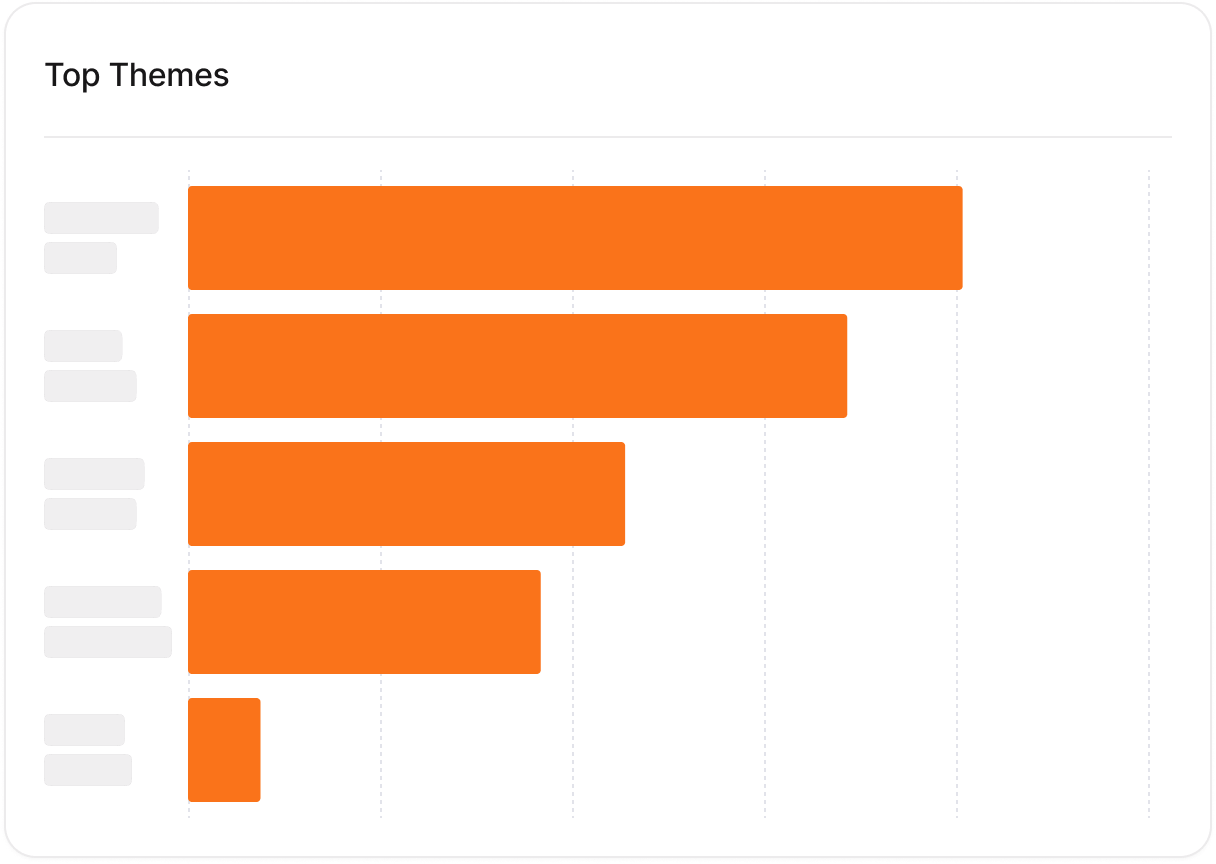

Top themes bar chart from AI-led interviews showing most frequent topics ranked by mentions
Quotes board with key interview quotes auto-extracted from transcripts and grouped by theme.
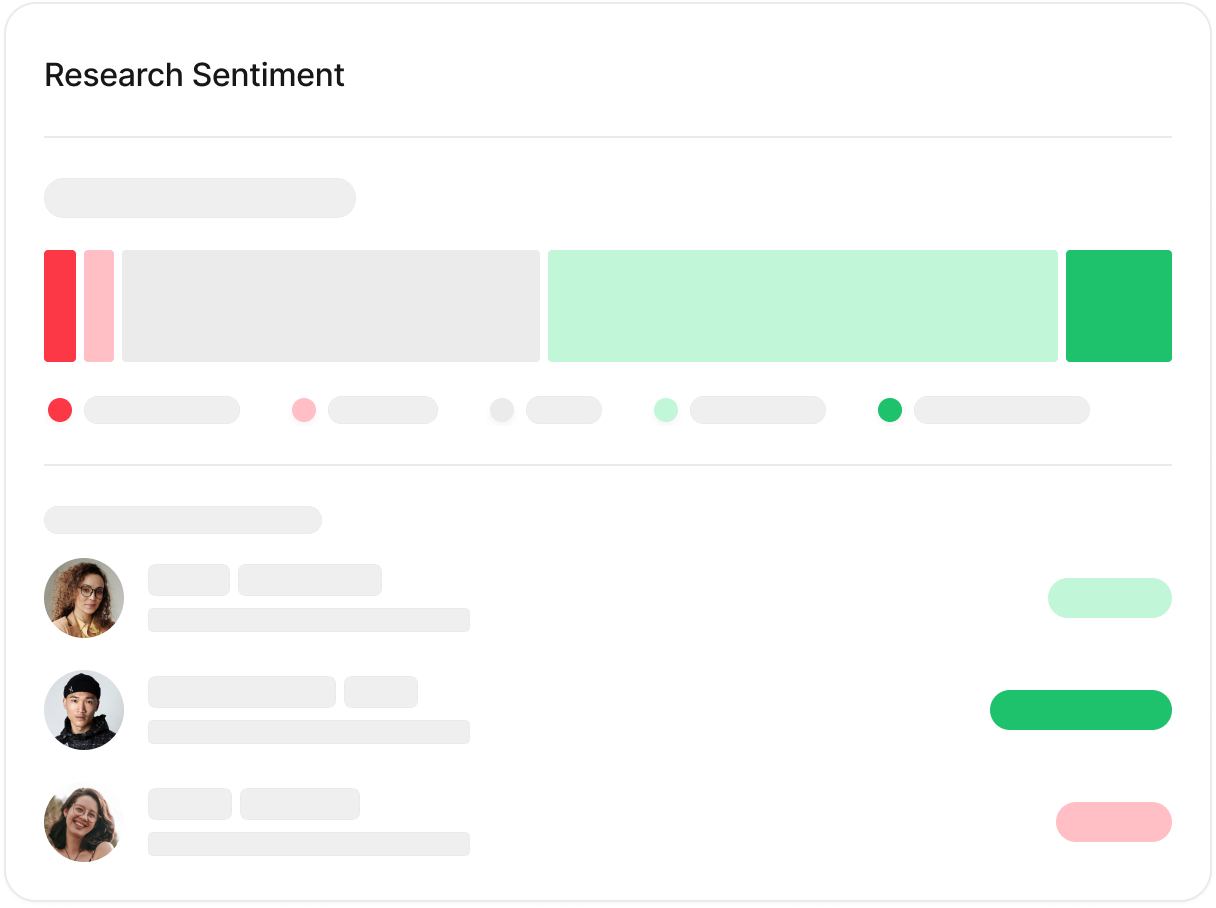
Research sentiment analysis showing distribution of positive, neutral, and negative responses with example comments.
Explore the complete AI interviewing feature set and integrations.

How it works

From topic to insights in five steps

Run research interviews on autopilot: you set the study, Askiva handles outreach, booking, interviewing, transcription, and insights.
01

Research topic and language

Choose your research topic or questions and select the study language. You can generate a question set with AI. (1 to 2 minutes)

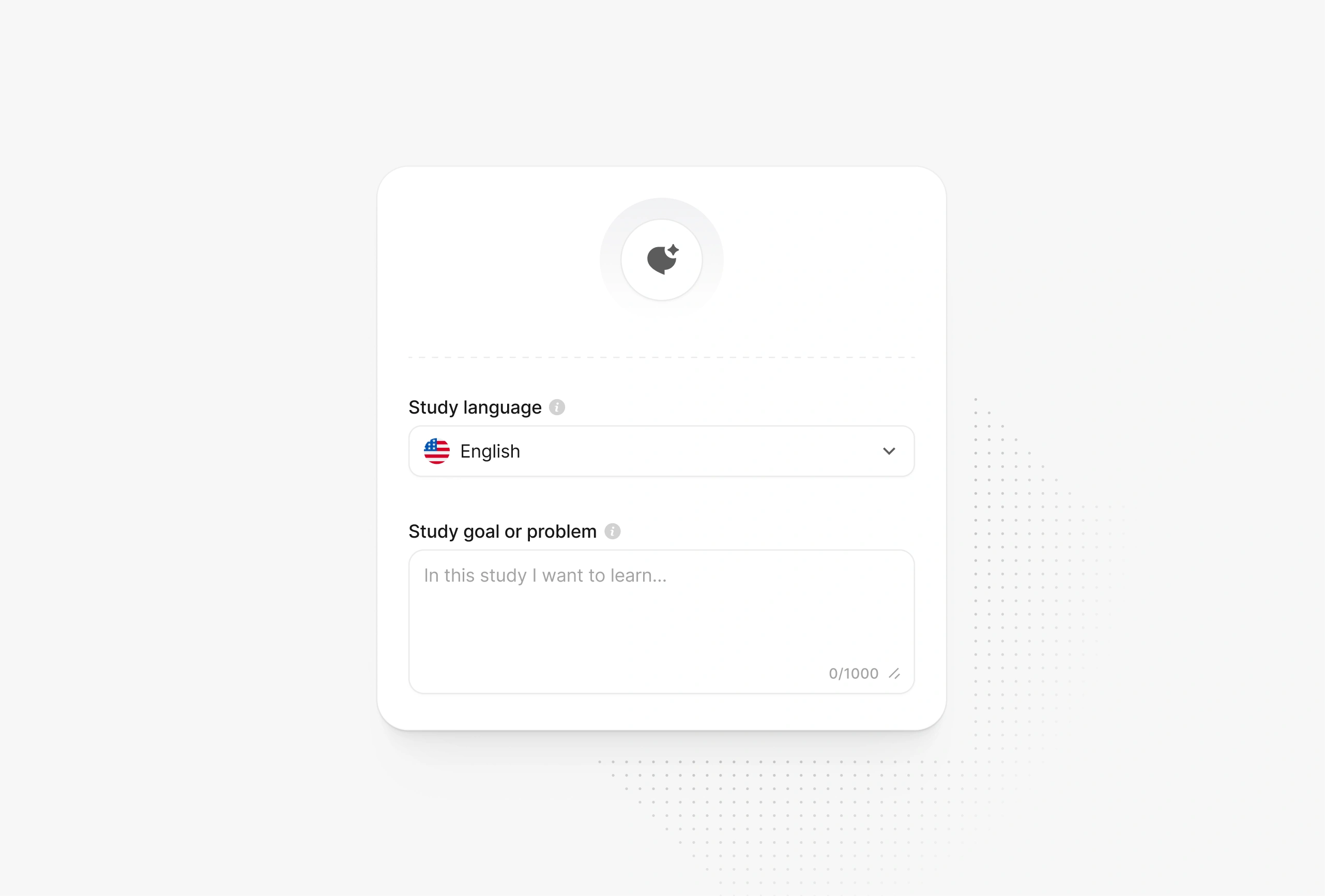
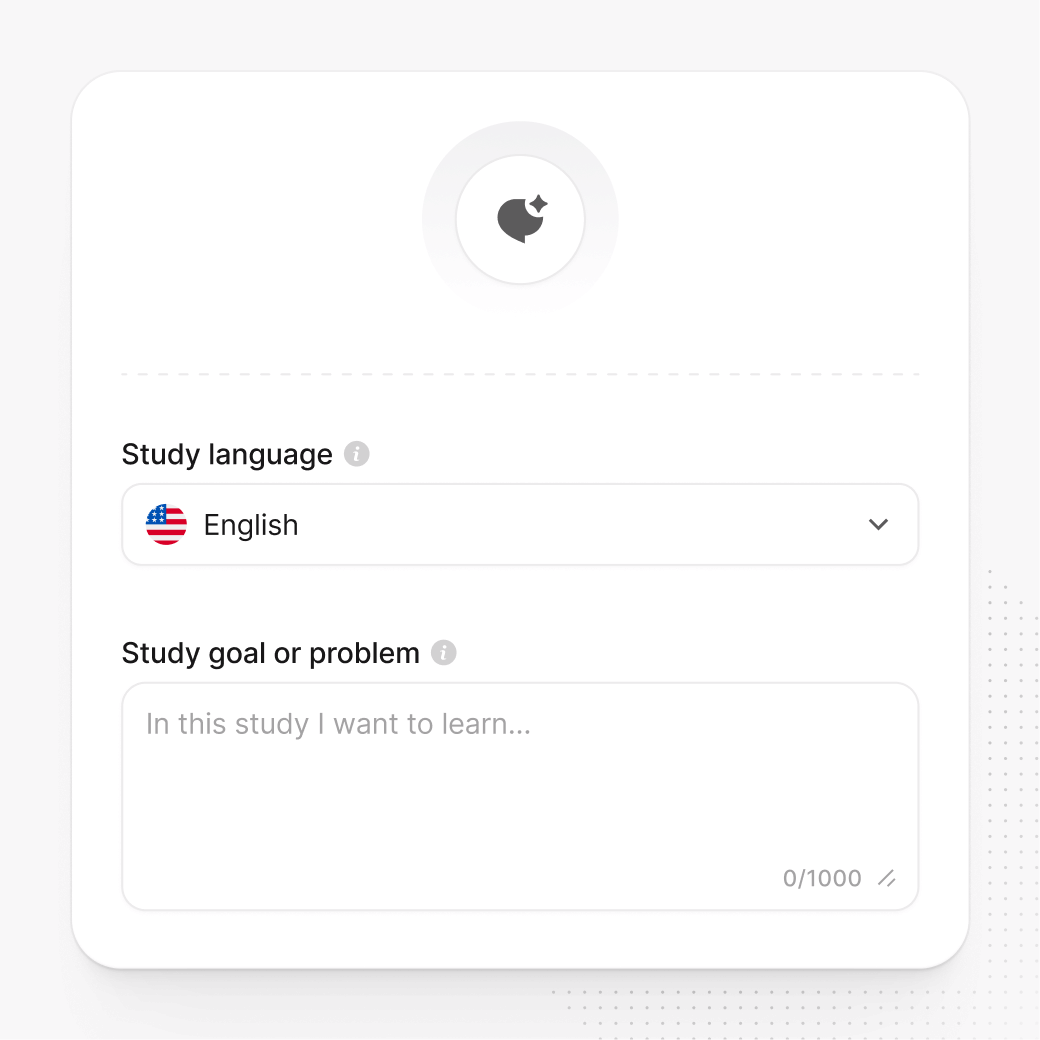
Askiva setup screen with a study language dropdown set to English and a text box to describe the study goal or problem.

01

Research topic and language

Choose your research topic or questions and select the study language. You can generate a question set with AI. (1 to 2 minutes)

Askiva setup screen with a study language dropdown set to English and a text box to describe the study goal or problem.

01

Research topic and language

Choose your research topic or questions and select the study language. You can generate a question set with AI. (1 to 2 minutes)

Askiva setup screen with a study language dropdown set to English and a text box to describe the study goal or problem.

02

Create the participant pool

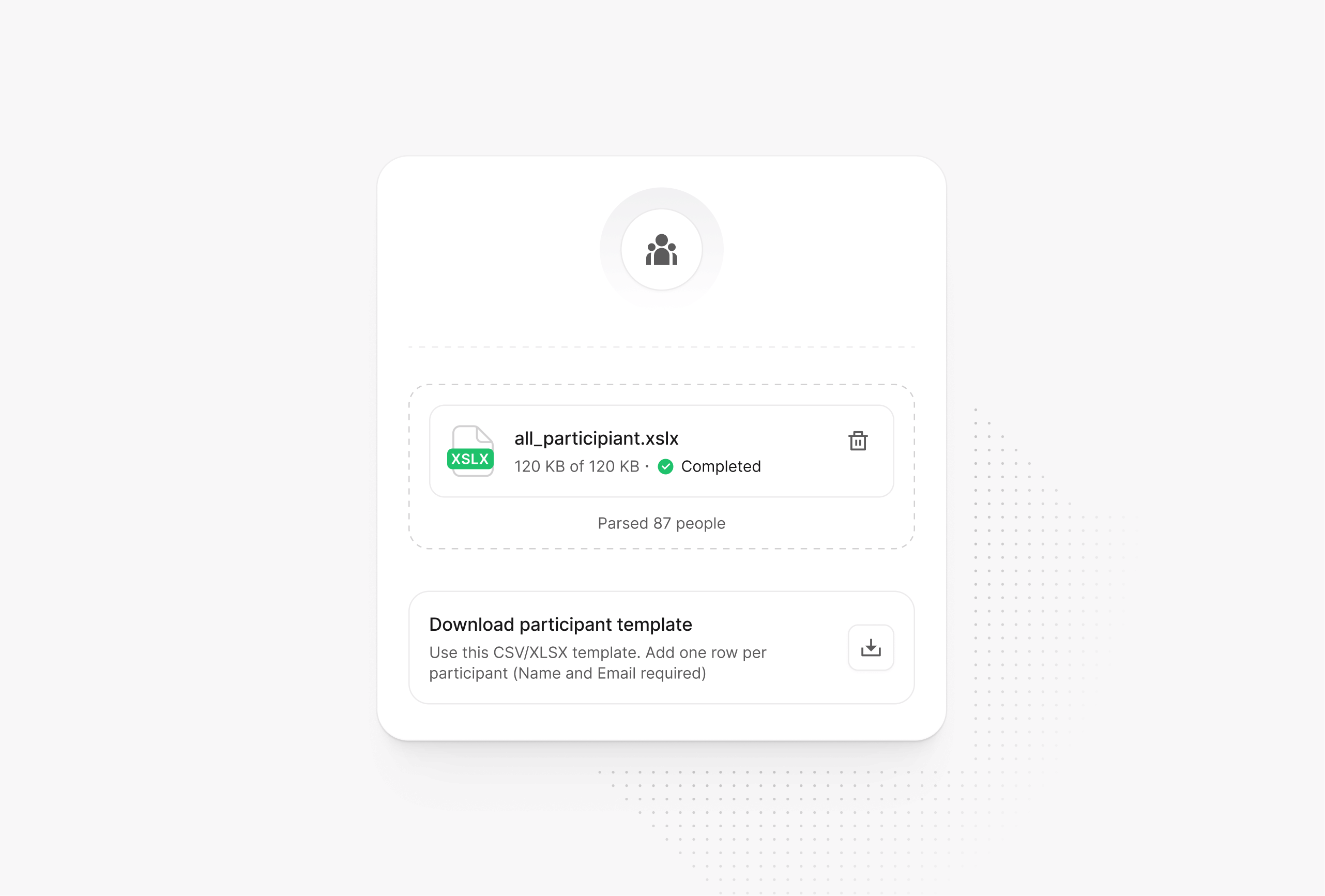
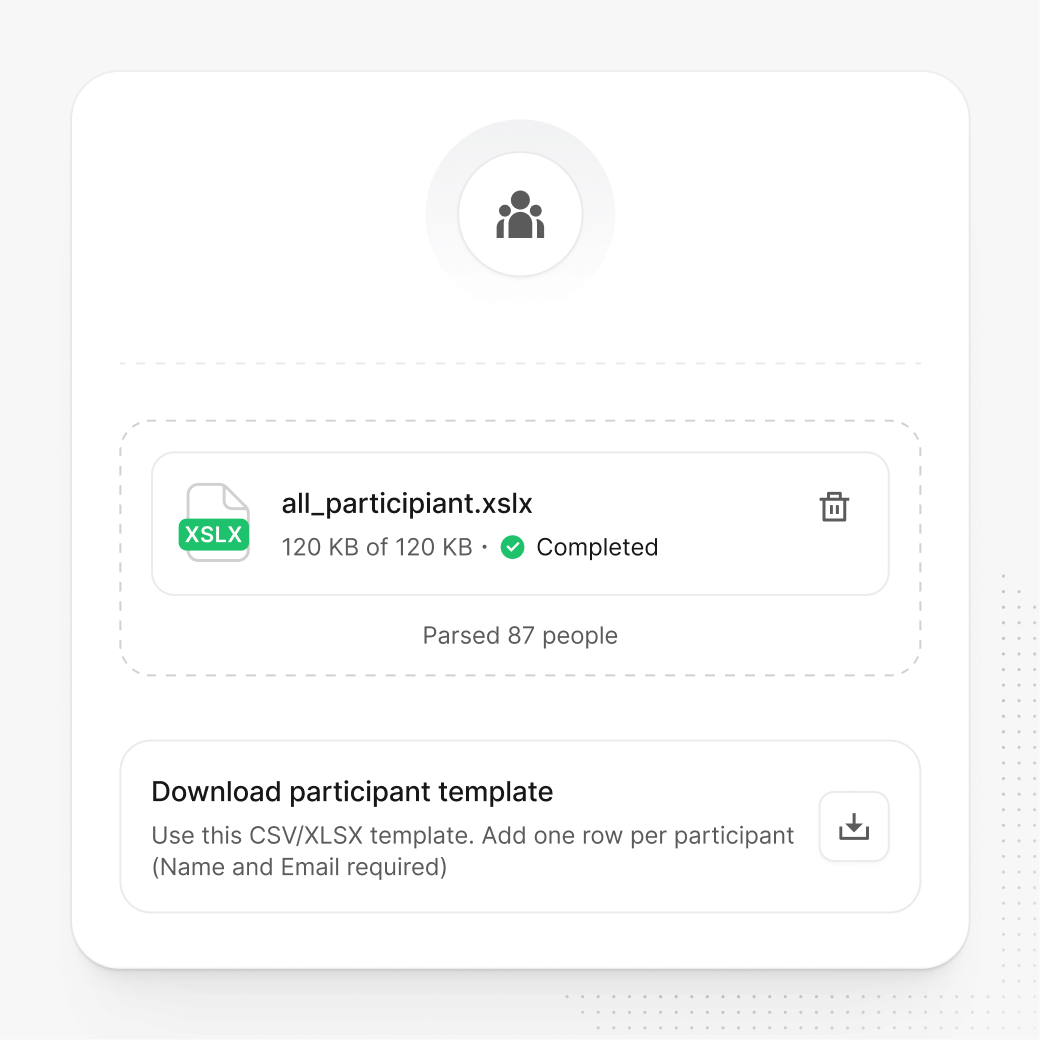
Upload an XLSX with names and emails. (10 to 15 seconds)

Participant pool screen showing an XLSX file upload completed, the number of people parsed, and a card to download a participant template.

02

Create the participant pool

Upload an XLSX with names and emails. (10 to 15 seconds)

Participant pool screen showing an XLSX file upload completed, the number of people parsed, and a card to download a participant template.

02

Create the participant pool

Upload an XLSX with names and emails. (10 to 15 seconds)

Participant pool screen showing an XLSX file upload completed, the number of people parsed, and a card to download a participant template.

03

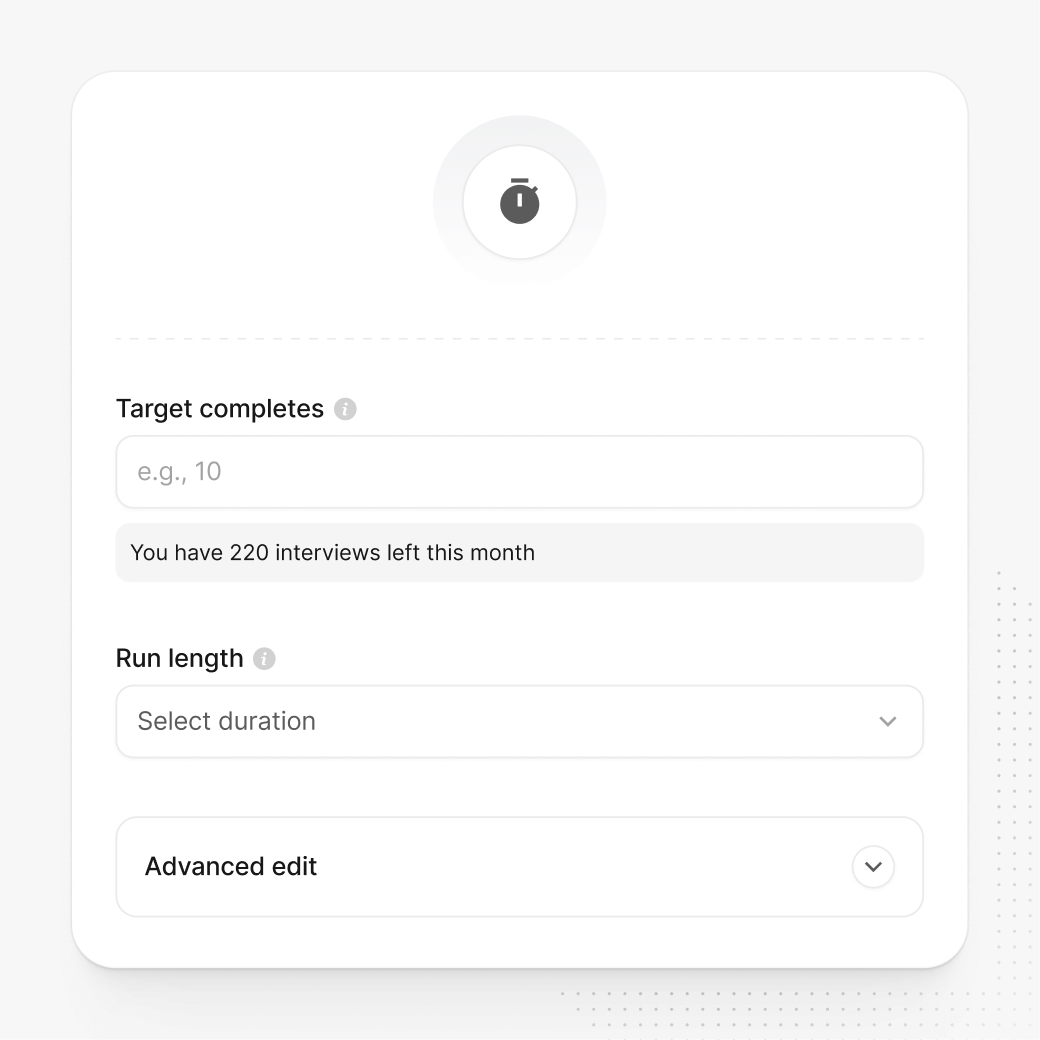
Set targets and settings

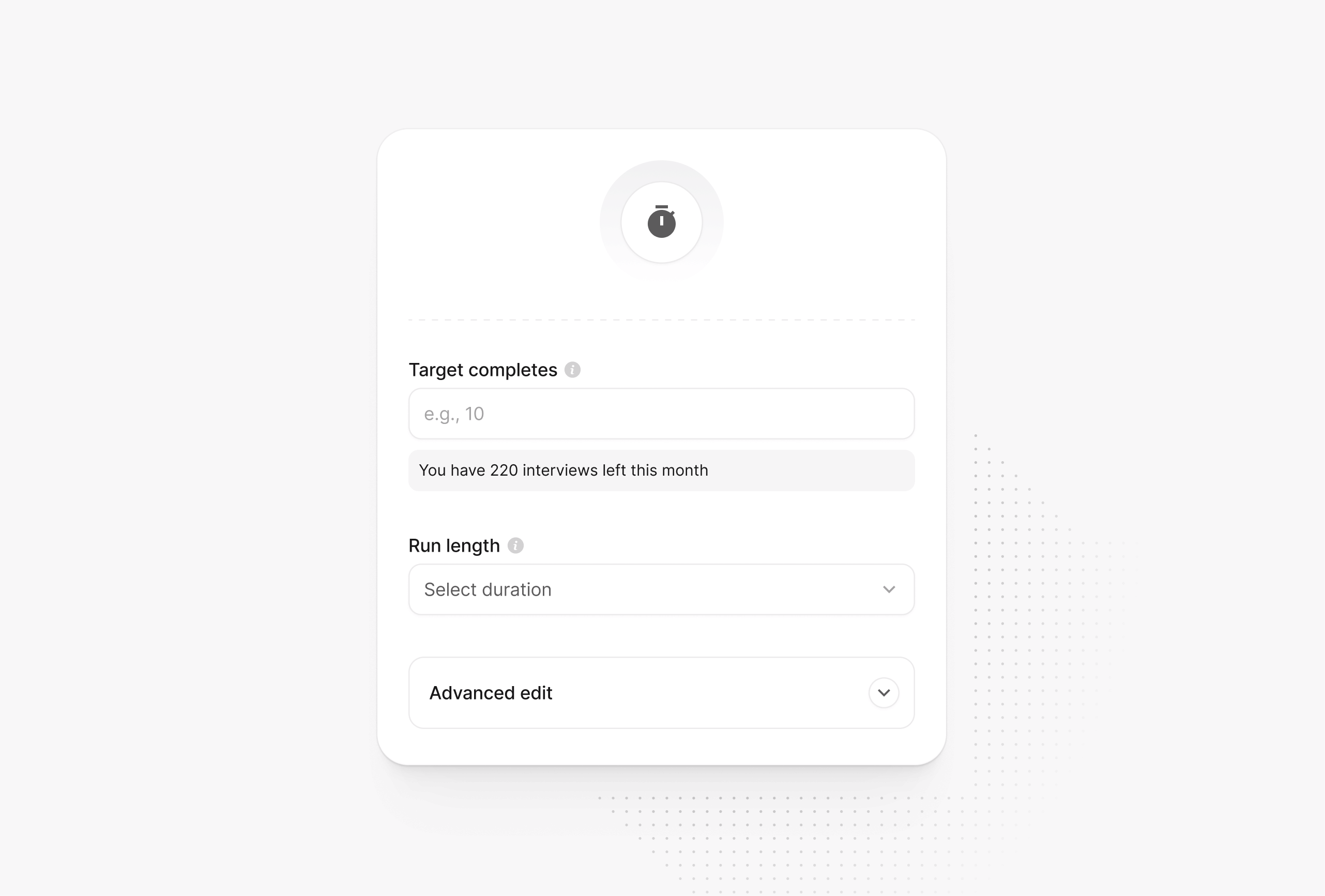
Define target completes and study duration, then choose advanced options like outreach channel, availability windows, and calendar integration. (10 to 15 seconds)

Study settings screen with fields for target completes, a run length selector, and an Advanced edit section for additional options.

03

Set targets and settings

Define target completes and study duration, then choose advanced options like outreach channel, availability windows, and calendar integration. (10 to 15 seconds)

Study settings screen with fields for target completes, a run length selector, and an Advanced edit section for additional options.

03

Set targets and settings

Define target completes and study duration, then choose advanced options like outreach channel, availability windows, and calendar integration. (10 to 15 seconds)

Study settings screen with fields for target completes, a run length selector, and an Advanced edit section for additional options.

04

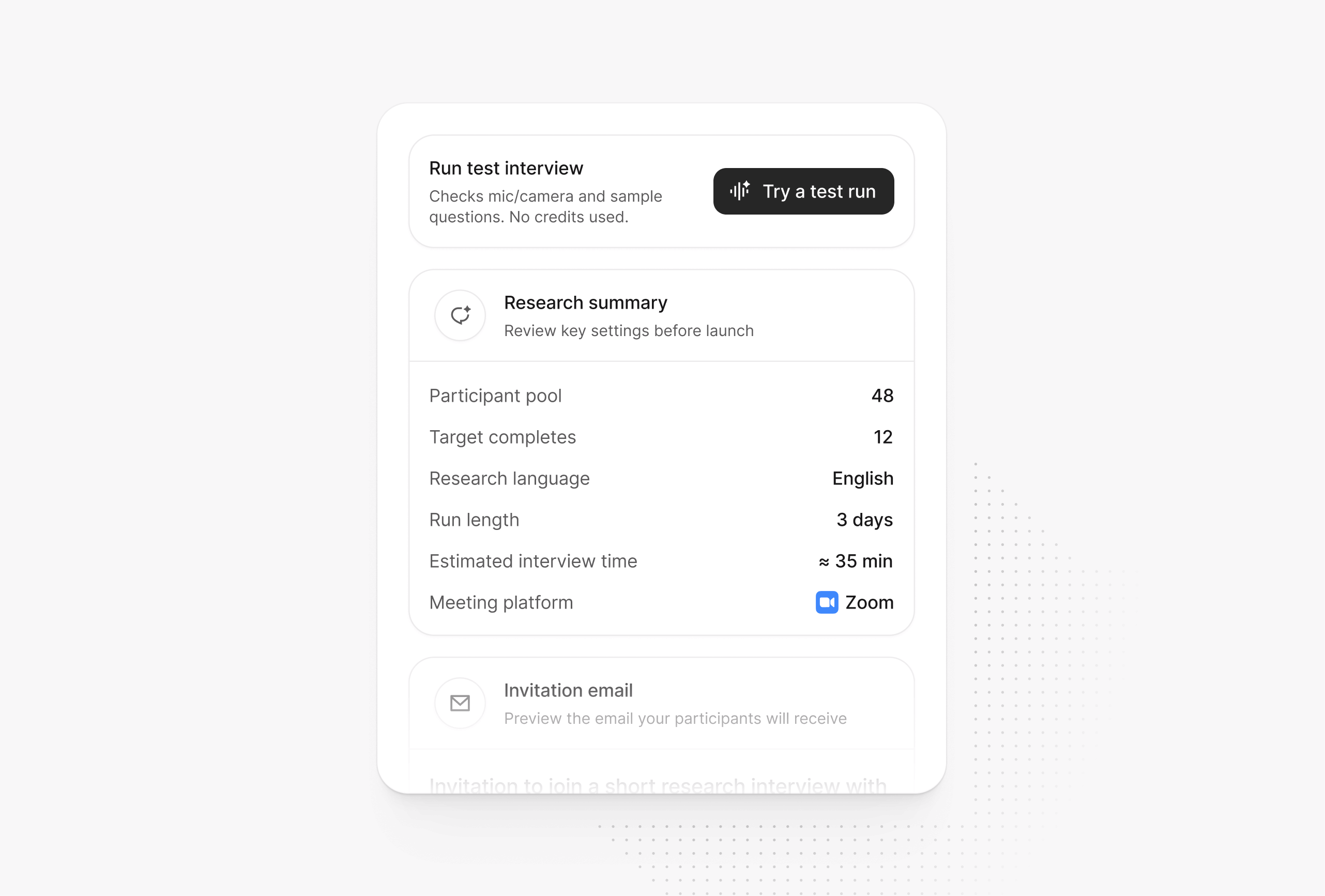
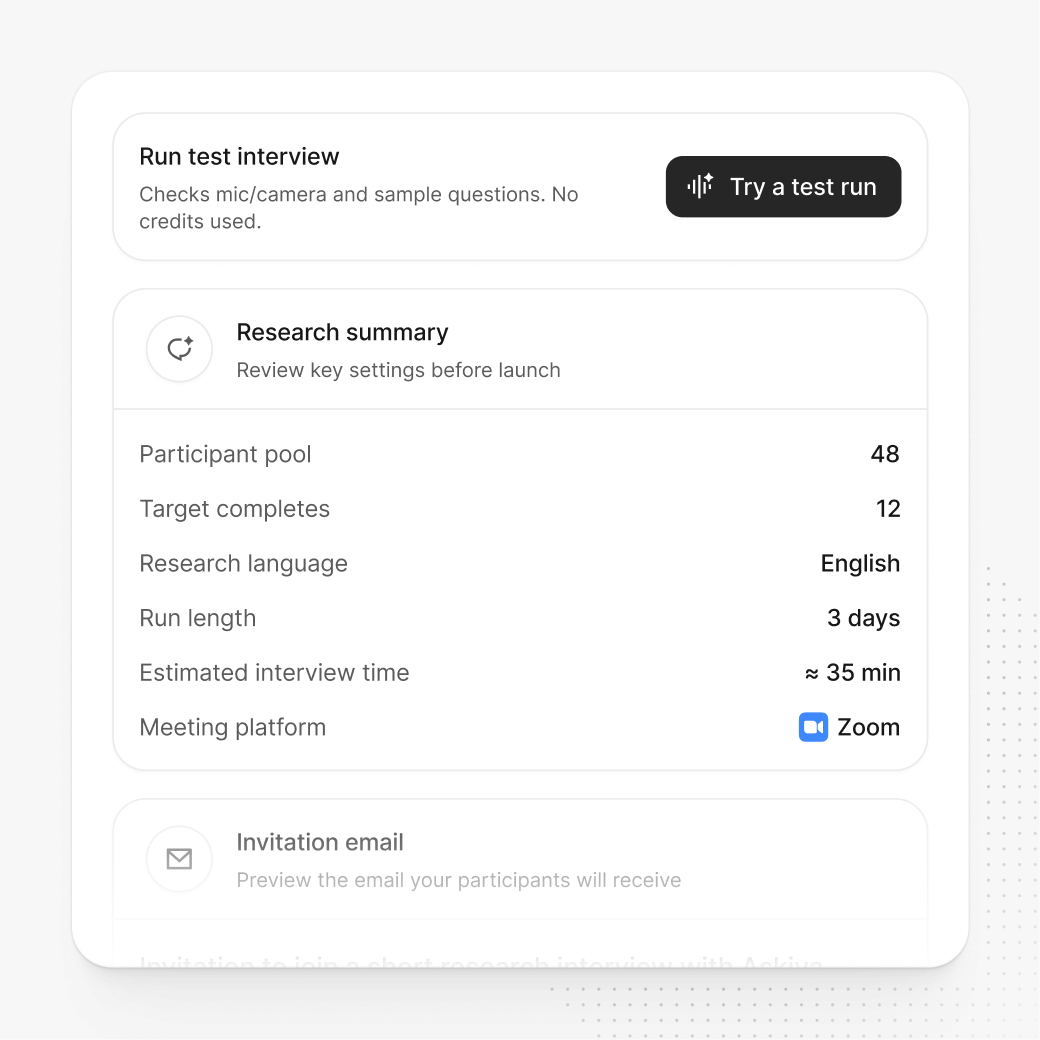
Preview invites and script

Review the AI generated invite email and interview script, and optionally run a test interview to validate the flow. (10 to 15 seconds)

Research summary screen with a “Run test interview” button and a list of key settings like participant count, targets, language, duration, and Zoom as the meeting platform.

04

Preview invites and script

Review the AI generated invite email and interview script, and optionally run a test interview to validate the flow. (10 to 15 seconds)

Research summary screen with a “Run test interview” button and a list of key settings like participant count, targets, language, duration, and Zoom as the meeting platform.

04

Preview invites and script

Review the AI generated invite email and interview script, and optionally run a test interview to validate the flow. (10 to 15 seconds)

Research summary screen with a “Run test interview” button and a list of key settings like participant count, targets, language, duration, and Zoom as the meeting platform.

05

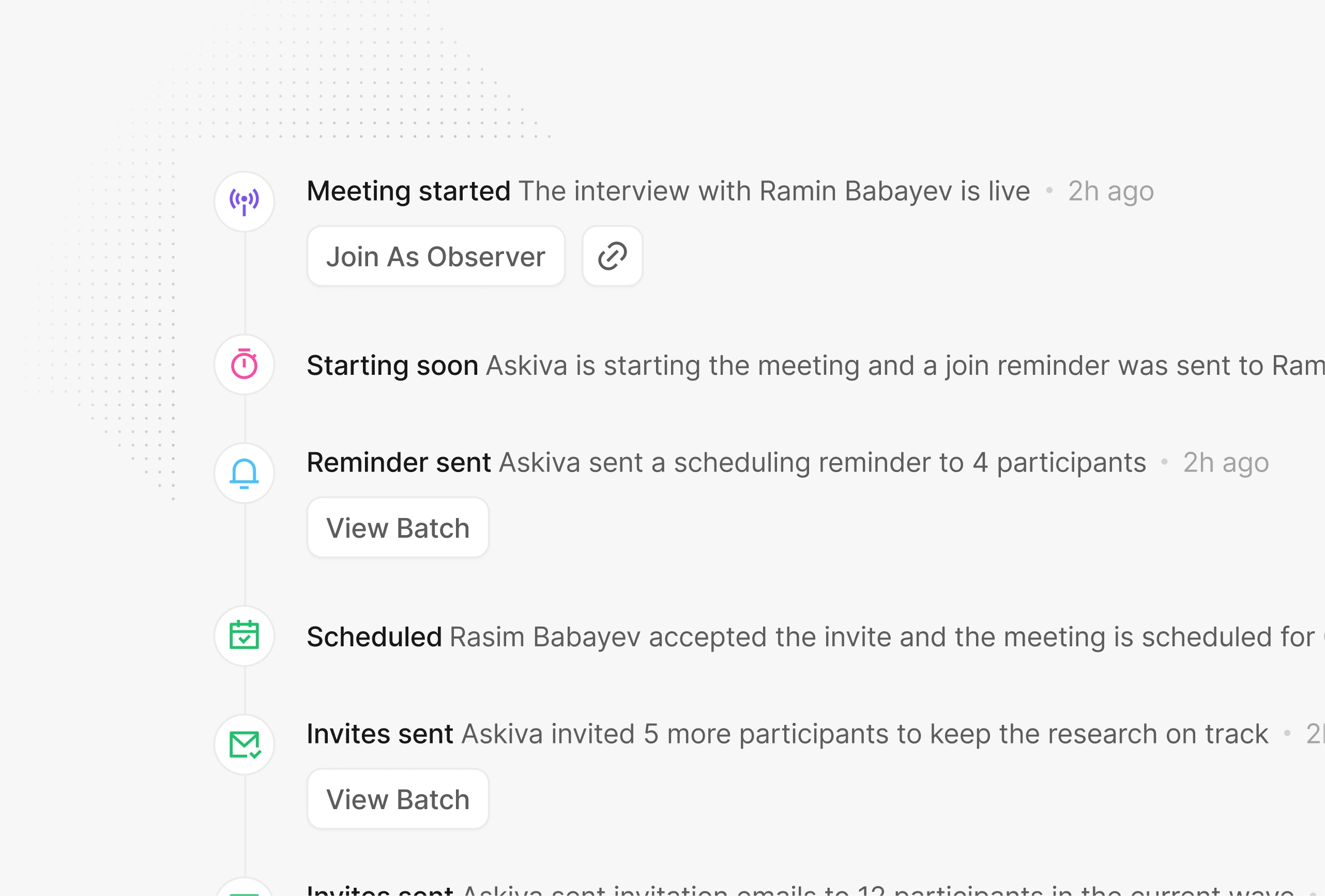
Fully automated execution

Askiva contacts participants, books time slots, joins Zoom, conducts interviews and transcribes them, then delivers themes, quotes, and summaries in your dashboard.

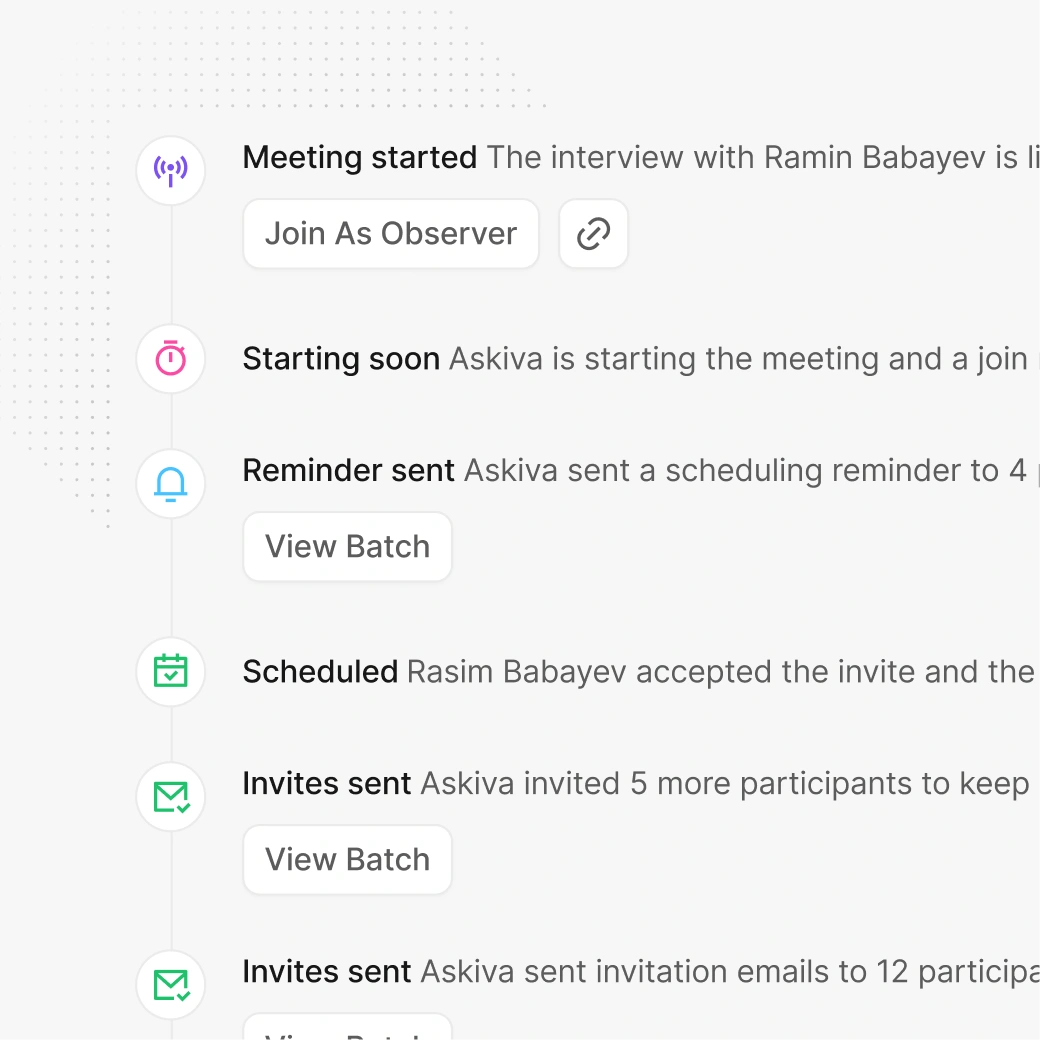
Live activity timeline showing interview updates such as meeting started, reminders sent, scheduling confirmed, and invite batches sent, with a quick action to join as an observer.

05

Fully automated execution

Askiva contacts participants, books time slots, joins Zoom, conducts interviews and transcribes them, then delivers themes, quotes, and summaries in your dashboard.

Live activity timeline showing interview updates such as meeting started, reminders sent, scheduling confirmed, and invite batches sent, with a quick action to join as an observer.

05

Fully automated execution

Askiva contacts participants, books time slots, joins Zoom, conducts interviews and transcribes them, then delivers themes, quotes, and summaries in your dashboard.

Live activity timeline showing interview updates such as meeting started, reminders sent, scheduling confirmed, and invite batches sent, with a quick action to join as an observer.

"We built Askiva to keep research humane and rigorous, helping teams listen at scale while protecting privacy and producing audit ready records."

"We built Askiva to keep research humane and rigorous, helping teams listen at scale while protecting privacy and producing audit ready records."

"We built Askiva to keep research humane and rigorous, helping teams listen at scale while protecting privacy and producing audit ready records."

Portrait of a startup founder with arms crossed, wearing an olive shirt against a neutral background.

Khayal Mammadaliyev

Founder of Askiva

FAQs

Have questions,
We got answers

Everything you need to know about Askiva, from setup and data to plans and support.

What is automated interview software and how does Askiva work?

Askiva is automated interview software. Set the topic and language, upload participants (XLSX or paste), set targets, and launch. Askiva handles outreach and scheduling, creates Zoom meetings, transcribes, and delivers theme based summaries.

How does Askiva work, and what does the demo include?

Askiva helps teams automate participant outreach, scheduling, and interview summaries. In the demo, we’ll walk through your use case, show the workflow end-to-end, and answer questions about setup, integrations, and security.

How can I automate research interviews on Zoom with Askiva?

Launch your research. Askiva sends personalized invites, proposes local time slots, tracks each participant, and handles confirmations, reschedules, and cancellations. It automatically creates a unique Zoom meeting for every session, joins at the scheduled time, runs the interview, and produces real time transcripts.

How accurate are Askiva transcripts and summaries for research decisions?

Askiva delivers high quality transcripts optimized for conversations. The system reduces background noise, separates the participant’s voice from side sounds, and handles diverse accents and speaking rates with professional accuracy. Summaries are built from these transcripts and include clear themes and cited quotes.

How does Askiva handle privacy and data ownership?

You own your data. Transcripts and summaries are saved in your account, and you can download or delete any research at any time.

Can Askiva run multilingual interviews and handle global time zones?

Yes. Choose a research language and Askiva operates 24/7 across time zones. It detects each participant’s local time and suggests convenient slots. Outreach messages and scripts can be localized.

Can I export transcripts and summaries?

Yes. Export transcripts, summaries, and key quotes as PDF directly from the dashboard for easy sharing or archiving.

What is automated interview software and how does Askiva work?

Askiva is automated interview software. Set the topic and language, upload participants (XLSX or paste), set targets, and launch. Askiva handles outreach and scheduling, creates Zoom meetings, transcribes, and delivers theme based summaries.

How does Askiva work, and what does the demo include?

Askiva helps teams automate participant outreach, scheduling, and interview summaries. In the demo, we’ll walk through your use case, show the workflow end-to-end, and answer questions about setup, integrations, and security.

How can I automate research interviews on Zoom with Askiva?

Launch your research. Askiva sends personalized invites, proposes local time slots, tracks each participant, and handles confirmations, reschedules, and cancellations. It automatically creates a unique Zoom meeting for every session, joins at the scheduled time, runs the interview, and produces real time transcripts.

How accurate are Askiva transcripts and summaries for research decisions?

Askiva delivers high quality transcripts optimized for conversations. The system reduces background noise, separates the participant’s voice from side sounds, and handles diverse accents and speaking rates with professional accuracy. Summaries are built from these transcripts and include clear themes and cited quotes.

How does Askiva handle privacy and data ownership?

You own your data. Transcripts and summaries are saved in your account, and you can download or delete any research at any time.

Can Askiva run multilingual interviews and handle global time zones?

Yes. Choose a research language and Askiva operates 24/7 across time zones. It detects each participant’s local time and suggests convenient slots. Outreach messages and scripts can be localized.

Can I export transcripts and summaries?

Yes. Export transcripts, summaries, and key quotes as PDF directly from the dashboard for easy sharing or archiving.

What is automated interview software and how does Askiva work?

Askiva is automated interview software. Set the topic and language, upload participants (XLSX or paste), set targets, and launch. Askiva handles outreach and scheduling, creates Zoom meetings, transcribes, and delivers theme based summaries.

How does Askiva work, and what does the demo include?

Askiva helps teams automate participant outreach, scheduling, and interview summaries. In the demo, we’ll walk through your use case, show the workflow end-to-end, and answer questions about setup, integrations, and security.

How can I automate research interviews on Zoom with Askiva?

Launch your research. Askiva sends personalized invites, proposes local time slots, tracks each participant, and handles confirmations, reschedules, and cancellations. It automatically creates a unique Zoom meeting for every session, joins at the scheduled time, runs the interview, and produces real time transcripts.

How accurate are Askiva transcripts and summaries for research decisions?

Askiva delivers high quality transcripts optimized for conversations. The system reduces background noise, separates the participant’s voice from side sounds, and handles diverse accents and speaking rates with professional accuracy. Summaries are built from these transcripts and include clear themes and cited quotes.

How does Askiva handle privacy and data ownership?

You own your data. Transcripts and summaries are saved in your account, and you can download or delete any research at any time.

Can Askiva run multilingual interviews and handle global time zones?

Yes. Choose a research language and Askiva operates 24/7 across time zones. It detects each participant’s local time and suggests convenient slots. Outreach messages and scripts can be localized.

Can I export transcripts and summaries?

Yes. Export transcripts, summaries, and key quotes as PDF directly from the dashboard for easy sharing or archiving.

Ready to try

Try automated interview software for real decisions

From interviews to usable insights in hours

AI interview platform for research teams and universities. Accurate transcripts, consistent themes, decision ready insights.

Learn with our blog

Monthly guides and templates to learn faster and decide better. No spam.

© 2026

Askiva. All rights reserved

Ready to try

Join researchers and professionals turning interviews into evidence

From interviews to usable insights in hours

AI Research interview platform for UX, product, and universities with secure transcripts, consistent themes, and decision ready insights.

Research, product, and AI insights

Monthly articles, templates, and case studies to help teams learn faster and make better decisions. No spam.

© 2026

Askiva. All rights reserved

Ready to try

Join researchers and professionals turning interviews into evidence

From interviews to usable insights in hours

AI Research interview platform for UX, product, and universities with secure transcripts, consistent themes, and decision ready insights.

Research, product, and AI insights

Monthly articles, templates, and case studies to help teams learn faster and make better decisions. No spam.

© 2026

Askiva. All rights reserved